Home Lab Setup
Building a personal infrastructure on budget hardware, proving that control beats convenience.
Backend Engineer
…and why it became the one place where everything finally feels mine
A home lab represents independence.
Not the grand, dramatic kind — more like "this is my controlled environment, powered by determination and hardware."
Mine wasn't assembled from unlimited resources, grand ambitions, or enterprise equipment humming in climate-controlled racks.
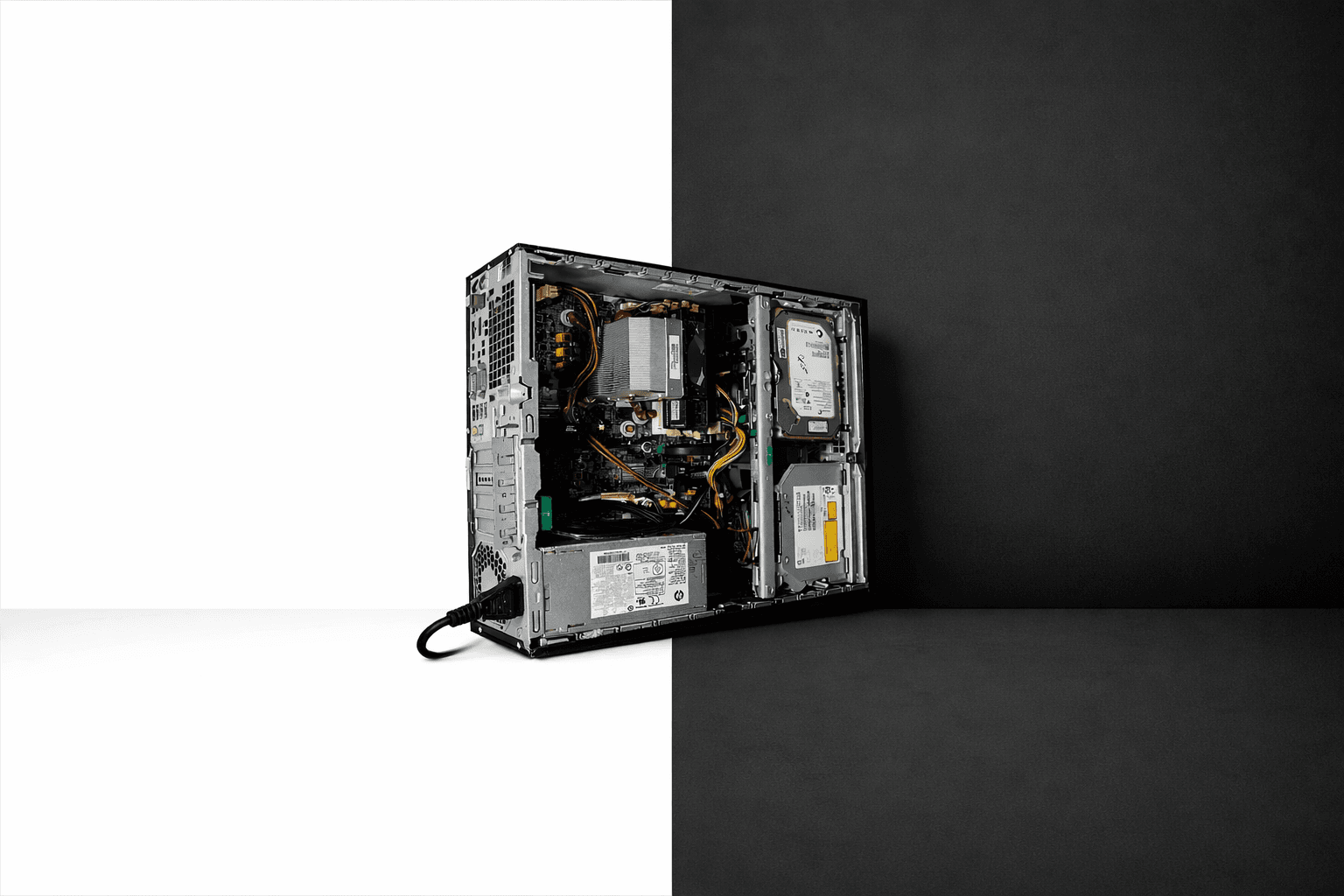
It began with one freelance contract and a refurbished HP Elite Desk 800 G1 SFF — a dated i5 4th Gen, 8 GB of DDR3, a 128 GB SSD, and a 500 GB HDD that clearly had previous owners.
Nothing impressive. Nothing costly.
Just adequate.
And adequacy is sufficient when you understand your requirements.

Why I Even Wanted a Home lab
I'm uncomfortable entrusting my data to external entities — particularly corporate giants.
Google Photos controlling access to my memories?
A commercial password manager securing my digital identity?
Random web services processing my documents for simple tasks?
Unacceptable. Hard pass.
I needed infrastructure that was:
Private
Affordable
Self-owned
And safe to experiment with without real consequences.
Commercial cloud services limit experimentation.
A home lab provides full administrative access without guardrails.
That's the difference.
The Brain: Proxmox on Old Hardware
I reformatted everything, installed Proxmox directly on the 128 GB SSD with ext4 (ZFS wouldn't cooperate with this legacy system), and instantly this retired office machine became a testing ground.
A testing ground for experimentation, learning, and late-night rebuilds when inspiration struck.
Nothing Is Public-Facing — And That's the Magic
Many showcase self-hosted infrastructures with reverse proxies, DNS configurations, Cloudflare tunnels…
Impressive architectures, certainly.
But I didn't want internet exposure for my services.
So I constructed an isolated environment:
A virtual network (10.20.30.0/24)
A virtual router (IPFire)
A virtual DNS (Pi-hole)
A VPN access point (NetBird)
A reverse-proxy layer (Traefik)
DNS management via Cloudflare
When remote, I connect NetBird, authenticate, and immediately access my homelab as if local.
No exposed ports.
No reverse proxy complexity.
No Let's Encrypt rate limiting concerns.
Just functionality.
The Proxy Network — A Private Layer for User-Facing Apps
To maintain complete control and isolation:
I established a dedicated Docker bridge network called
proxywith subnet 192.168.204.0/24.Every container serving a web interface runs inside this network—Immich, Stirling-PDF, Vaultwarden, OmniTools, etc.
Traefik is the sole container exposed to the outer virtual network (10.20.30.0/24) via the Docker host. It manages all routing, TLS termination, and service discovery.
Internally, no container has direct host-LAN exposure. Services communicate exclusively via the
proxynetwork and Traefik configurations.External access requires VPN (NetBird). No public ports exposed, no internet-facing services.
DNS is managed by Cloudflare, but subdomains resolve only within the VPN-connected environment.
This architecture provides:
Strong network isolation
Centralized, manageable ingress (Traefik)
Minimal attack surface
Control over service routing and TLS certificates
Security confidence
In summary: all user-facing services behind one gateway. I control access.
The Services I Run (and Why They Matter to Me)
1. Immich — My Photos, My Rules
Google Photos works until policy changes. Until account locks. Until your photographic history depends on corporate decisions.
Immich runs on my HDD. No fees. No compression. No external access.
First time my photos feel genuinely owned.
2. Vaultwarden — Passwords Shouldn't Live in Someone Else's Building
A self-hosted password manager changes everything.
No breach concerns. No tracking. And it provides Bitwarden premium features (TOTP!) without subscription costs.
Self-hosting this revealed:
"Privacy doesn't require money. Just intention."
3. NetBird — My Portal Back Home
I appreciate opening NetBird remotely and immediately accessing my homelab as if I never left.
Seamless. WireGuard-powered seamlessness.
4. Traefik — The Entry Gate I Control
Traefik handles all service routing within my virtual network. It dynamically discovers containers and maps domains internally, while I manage DNS via Cloudflare. It also handles TLS certificates via Let's Encrypt, maintaining security without manual certificate management.
5. Cloudflare DNS — Domain Management, My Terms
Instead of dynamic IPs or exposed ports, I use Cloudflare for DNS management. Cloudflare's infrastructure provides protection while maintaining my control.
6. n8n — Automation Without Asking Permission
Cloud automation platforms impose limits: "Free tier exceeded." "Maximum X workflows." "Upgrade required."
n8n simply states:
"Do whatever you want, unlimited."
That approach works.
7. Obsync (CouchDB) — My Obsidian, Synced Like a Superpower
An extension called "Self-hosted LiveSync" syncs Obsidian via CouchDB.
I deployed a CouchDB Docker container. Connected it. Notes sync faster than commercial sync services.
Also: Zero cloud. Zero tracking. Zero dependencies.
8. OmniTools — A Toolbox That Doesn't Sell My Files
Image converters. Document compressors. All local. All private.
Uploading sensitive documents to random websites for processing always seemed problematic.
9. Stirling-PDF — My Document Converter, My Terms
I recently deployed Stirling-PDF, an open-source PDF conversion/processing service. No external dependency. No tracking. If PDF processing is needed, it happens in my infrastructure, under my control.
Subdomains? Yes. Public? Never.
I use private DNS names like:
immich.pve.onkarsathe.co.in
vaultwarden.pve.onkarsathe.co.in
pihole.pve.onkarsathe.co.in
stirling-pdf.pve.onkarsathe.co.in
They resolve only inside the NetBird network (and via internal DNS + Traefik) and through Cloudflare-managed DNS. From the outside, these domains are non-existent.
Why This Homelab Means So Much to Me
It wasn't built with expensive hardware. It wasn't built with enterprise equipment. It wasn't built from necessity.
It was built because:
I wanted data ownership
I wanted to learn
I wanted safe experimentation
And because running infrastructure on your own terms feels right
Most pursue the cloud. I pursued control.
Future Upgrades
More RAM
A small NAS
Monitoring (Grafana + Prometheus)
UPS for power reliability
But honestly? Even without upgrades, this setup already provides something invaluable:
A private digital space that belongs exclusively to me.
Some pictures of server seating in the corner:

Final Thoughts
This homelab isn't perfect. It's not powerful. It's not impressive by enterprise standards.
But it's functional, and it's mine, and it was built with purpose.
We exist in a world where corporations want your photos, your passwords, your notes, your documents, your behaviors, your life.
My homelab is my response:
"No. I'll take it from here."